
NordPass Password Manager: What It Is, Why You Need It, and How to Start
A strong, unique password for every account is the simplest and most powerful way to reduce your risk online, yet most people reuse the same few passwords across dozens of services. The result is predictable: a breach in one place quickly becomes a compromise in many others. The solution is to adopt a trusted password manager—software that creates, stores, and fills strong credentials for you—so you can stop remembering passwords and start remembering your life.
A good manager also helps you manage recovery methods, credit‑card details, secure notes, and more. NordPass is one of the leading options on the market, offering a clean interface, strong encryption, and cross‑platform coverage that fits both personal and team use cases.
Why use a password manager today
Hacking attempts keep getting smarter. Phishing emails and look‑alike login pages harvest credentials at scale. Credential‑stuffing bots test breached email–password pairs across services until they find a hit. If you reuse passwords, your digital life becomes a house of cards.
Using a password manager breaks that cycle. It automatically generates long, random passwords; fills them into websites and apps; and keeps everything protected behind a single master password. You stop guessing or reusing—and criminals stop succeeding with the same tactics.
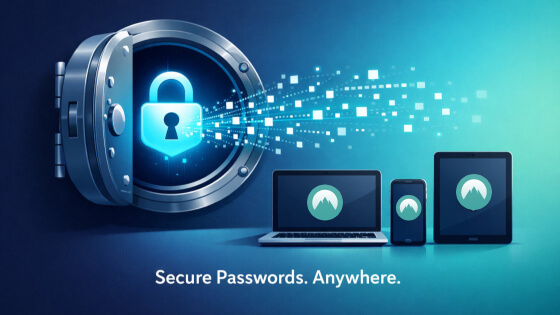
Table of Contents
For small and medium businesses, the same logic applies at a higher stakes level. Employee credentials are the top vector for breaches. A password manager enforces better hygiene, streamlines onboarding, and reduces support tickets about locked accounts. It’s easier to use, easier to scale, and safer than spreadsheets or sticky notes.
Key benefits of using a password manager
- Safer passwords by default: generate long, unique credentials and rotate them without pain.
- Reduced breach impact: if one site is exposed, your other accounts remain protected.
- Faster logins: auto‑fill and one‑click sign‑ins save time and reduce typos.
- Stronger privacy: encrypted vaults keep personal data and payment details out of plain text.
- Better compliance and visibility: admins can track access, set policies, and audit usage.
- Reduced helpdesk load: no more “I forgot my password” or manual reset requests.
How NordPass fits in
NordPass is a modern password manager designed to make secure credential management practical for everyday users and businesses. It supports Windows, macOS, Linux, Android, and iOS, with browser extensions for mainstream browsers. The focus is on security, ease of use, and cross‑device convenience.
NordPass relies on a zero‑knowledge architecture, meaning your data is encrypted on your device before it ever leaves your control. The service stores only encrypted material; it cannot read your vault. The core encryption uses XChaCha20 with Argon2 for key derivation, giving you strong protection against offline attacks and brute‑force attempts if a copy of your encrypted data is ever obtained.
The feature set is comprehensive: secure password storage, passkey support, automatic password generator, autofill across browsers and apps, cross‑device sync, secure sharing, secure notes, and optional data breach alerts. There is also a Data Breach Scanner that helps you see whether your emails or credentials appear in known breaches, which is useful for proactive remediation.
For individuals, the experience is straightforward: add accounts, let NordPass create strong passwords, and rely on autofill when you sign in. For teams, it offers policies, access controls, and centralized management so IT can enforce best practices without slowing users down.
NordPass features and capabilities
- Passwords and secure notes: store credentials and private documents in an encrypted vault.
- Passkeys: create and manage passkeys for supported websites, simplifying sign‑ins.
- Autofill and auto‑save: fill login forms and save new credentials automatically.
- Secure password generator: create long, random passwords that resist guessing and cracking.
- Data breach scanner: check if your data appears in known data sets and get remediation tips.
- Cross‑device sync: access your vault from desktop, mobile, and web with seamless updates.
- Sharing: safely share entries with trusted contacts or team members as needed.
- Import/export: migrate from other password managers or browsers and take your data with you.
NordPass for individuals vs NordPass for business
Individual users benefit from the core security and convenience features: generation, storage, autofill, and breach monitoring. The free tier covers basic vault storage and generation; paid tiers unlock extras such as advanced breach monitoring and multi‑device sync.
Teams and organizations typically choose the business plan to gain centralized administration, access control, and enforcement of policies like strong passwords and multi‑factor authentication (MFA). This reduces risk and standardizes security practices across the organization, which is essential for remote and hybrid teams.
Pricing overview
- Personal: NordPass offers free and premium plans. Free covers essential features like password storage and generation. Premium adds advanced scanning, cross‑device sync, and other enhancements.
- Business: Enterprise‑grade plans include centralized control, user management, and admin features.
Pricing can change over time, so check the official site for current rates and plan details.
How to get started with NordPass
- Create an account: sign up with your email and set a strong master password. Make it long, memorable, and never reuse it.
- Download apps and extensions: install the desktop and mobile apps, then add the browser extension for your main browser.
- Set a recovery method: configure recovery codes or backup options so you can regain access if you forget your master password.
- Import existing data: use the import feature to move existing passwords from your browser or another manager.
- Enable breach alerts: turn on monitoring to receive notifications if your data appears in known breaches.
- Turn on MFA: enable multi‑factor authentication for your NordPass account for an extra layer of defense.
- Install passkeys where supported: start using passkeys on compatible websites to replace passwords when available.
- Review and clean up: delete weak or reused passwords; let NordPass generate new ones for your most critical accounts.
Security best practices with any password manager
- Use a long, unique master password and keep it safe.
- Enable multi‑factor authentication on your vault.
- Prefer passkeys or strong passwords; avoid reuse across sites.
- Regularly check for data breaches and act on alerts.
- Keep your apps and browser extensions up to date.
- Avoid sharing sensitive credentials through insecure channels.
Addressing common concerns
Will a manager make me a target? A password manager does not increase your risk; weak, reused passwords do. By centralizing and encrypting credentials, you are replacing a dangerous system with a safer one.
What if I forget my master password? Most password managers, including NordPass, let you set recovery methods. Configure them when you start and store recovery codes securely.
What about my phone or smartwatch? On mobile, NordPass supports device‑level security features such as biometrics and secure enclaves. Keep your device locked and up to date for the strongest protection.
What about passkeys? Passkeys replace passwords with cryptographic keys. Where supported, use passkeys for frictionless, phishing‑resistant sign‑ins. NordPass supports passkeys, so you can manage them alongside traditional passwords.
Is it good for teams? Yes. A business‑grade manager helps enforce policies, reduce credential sprawl, and streamline access for employees. It’s a practical security upgrade for organizations of any size.
A short checklist to strengthen your password hygiene
- Generate long, random passwords for every account.
- Turn on MFA everywhere you can.
- Use passkeys where available.
- Audit for breaches and change any compromised credentials immediately.
- Remove old or weak passwords from reuse.
- Keep your vault app and browser extension updated.
Final thought
Using a password manager is one of the easiest, highest‑return changes you can make to your digital life. It reduces the mental burden, removes the temptation to reuse credentials, and gives you tools to respond quickly to security alerts. If you are ready to move from risky habits to a sustainable system, NordPass is a practical, secure choice for both individuals and teams.
About the Author


