Writing the perfect Instagram caption can sometimes take longer than creating the actual post.
You have the photo or Reel ready, but then comes the difficult part:
What should I write?
The caption needs to grab attention, match the content, sound natural, include relevant keywords, and ideally encourage people to comment, share, save, or follow.
This is exactly where an Instagram caption generator can help.
AI-powered caption generators can take a simple description of your photo, video, product, or idea and turn it into multiple caption options within seconds. Some tools can also adjust tone, generate hashtags, write calls to action, and even schedule the finished Instagram post.
In this guide, we’ll look at some of the best Instagram caption generator tools in 2026, including free options and more advanced AI tools for creators, influencers, businesses, and social media managers.
What Is an Instagram Caption Generator?
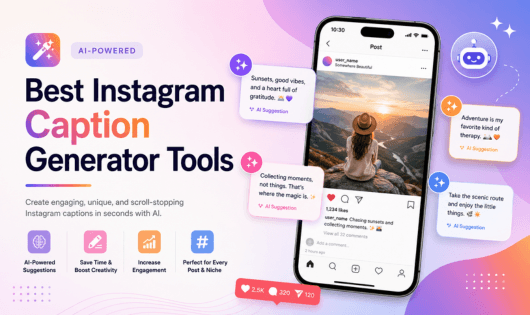
An Instagram caption generator is a tool that uses artificial intelligence or predefined templates to create captions for Instagram posts, Stories, carousels, and Reels.
Instead of staring at an empty caption box, you give the tool some information about your content.
For example:
“Instagram Reel showing a family camping trip in Banff. Make the caption short, funny and relatable.”
The tool might then create several captions with different hooks, tones, emojis, calls to action, or hashtags.
More advanced AI tools can also:
- Rewrite an existing caption
- Make captions shorter or longer
- Change the tone
- Generate multiple variations
- Create hooks for Reels
- Suggest calls to action
- Generate relevant hashtags
- Adapt captions for different social networks
- Remember or follow a particular brand voice
The important thing to remember is that AI-generated captions should normally be treated as a first draft, not something that has to be published unchanged.
OpenAI itself recommends providing AI writing tools with context, audience information, goals, and constraints, then reviewing and refining the resulting draft.
Best Instagram Caption Generator Tools
1. ChatGPT
Best for: Customized captions, creative ideas, hooks, rewriting and different tones
ChatGPT is one of the most flexible options for generating Instagram captions because you aren’t restricted to a predefined caption template.
You can explain exactly what happens in your photo or Reel and specify:
- Audience
- Caption length
- Tone
- Number of alternatives
- Emojis
- Keywords
- Hashtags
- Call to action
- Writing style
For example:
“Write 10 short Instagram captions for a Reel showing a toddler stealing his older brother’s gaming controller. Make them funny, relatable to parents, and under 15 words.”
You can then continue refining the result:
“Make option 3 funnier.”
Or:
“Make it sound less AI-generated and more like something a parent would naturally write.”
That conversational editing process is one of ChatGPT’s biggest advantages.
OpenAI describes ChatGPT as capable of drafting, rewriting, brainstorming and adapting writing based on the context and instructions supplied by the user.
Why use ChatGPT for Instagram captions?
Pros
- Extremely customizable
- Good for brainstorming multiple ideas
- Can rewrite existing captions
- Useful for short and long captions
- Can generate hooks, CTAs and hashtags
- Handles many different tones and niches
Cons
- Good prompts produce significantly better results than vague prompts
- You still need to check facts when captions contain factual claims
- Generic prompts can sometimes produce generic-sounding captions
Example prompt
Create 10 Instagram Reel captions about [topic]. My audience is [audience]. Make them conversational, slightly funny and easy to understand. Keep each caption under 30 words. Start with a strong hook and end with a simple question that encourages comments.
Best choice if: You want maximum control over the final caption.
2. Buffer AI Assistant
Best for: Creating captions and scheduling social posts from the same platform
Buffer combines social media publishing with an integrated AI writing assistant.
Its AI Assistant can generate social content from a prompt and then let you rephrase, shorten, expand, or change the tone of the generated copy.
One particularly useful feature is that Buffer’s assistant can be channel-aware. When writing for Instagram, for example, it can adapt the content for Instagram rather than treating every social network exactly the same.
You can create your caption and then move directly into scheduling or publishing.
Pros
- Caption generation and scheduling in one workflow
- Rephrase and rewrite tools
- Tone controls
- Useful for multiple social networks
- Content idea generation
Cons
- More functionality than necessary if you only need occasional captions
- Some advanced social media management features require paid plans
Buffer also offers an AI-powered social media post creator and supports publishing to multiple social platforms.
Best choice if: You already use a social media scheduler.
3. Hootsuite OwlyWriter AI
Best for: Businesses and social media teams
Hootsuite has integrated AI-powered content creation into its broader social media management platform.
OwlyWriter and Hootsuite’s AI tools can help marketers create social copy, generate post ideas and speed up the content creation process.
Hootsuite’s own 2026 social media AI guide highlights AI-generated writing alongside tools for scheduling, content creation and managing social campaigns.
Pros
- Built for social media workflows
- Useful for teams managing multiple accounts
- Content creation plus publishing tools
- Good for brands producing content at scale
Cons
- Full Hootsuite plans may be excessive for an individual who only wants captions
- Better suited to marketers and businesses than occasional Instagram users
Best choice if: Your Instagram account is part of a larger social media strategy.
4. Canva Magic Write
Best for: Creating the visual and caption in the same workflow
Many Instagram creators already use Canva to create:
- Instagram posts
- Carousels
- Stories
- Reel covers
- Infographics
- Promotional graphics
Canva’s AI writing capabilities make it possible to work on written content alongside the visual design.
This is convenient because you don’t have to constantly switch between a design application and a separate AI writing tool.
Pros
- Design and copy creation in one ecosystem
- Useful for creators and small businesses
- Easy to generate alternative text ideas
- Excellent if Canva is already part of your content workflow
Cons
- Dedicated AI writing tools may provide more control over complex prompts
- Some AI functionality may depend on your Canva plan or usage limits
Independent 2026 comparisons continue to list Canva among useful tools for combining caption creation with visual content production.
Best choice if: You create most of your Instagram graphics in Canva.
5. Later
Best for: Instagram-focused content planning
Later has long focused heavily on visual social media platforms, particularly Instagram.
Its platform combines content planning, scheduling and AI-assisted social content features, making it useful for creators who want more than a standalone caption generator.
Later is particularly useful when you think about Instagram as a complete content calendar rather than individual posts.
A recent comparison of social media platforms noted Later’s visual content calendar as a major strength for Instagram-focused creators and brands.
Pros
- Instagram-oriented workflow
- Visual content calendar
- Scheduling capabilities
- Useful for creators and brands
Cons
- Not necessary if you only need a quick caption once in a while
- Some AI functionality is tied to the larger Later platform
Best choice if: Instagram is one of your primary marketing channels.
6. Jasper
Best for: Businesses that care heavily about consistent brand voice
Jasper is broader than an Instagram caption generator.
It is an AI marketing platform designed primarily for businesses and marketing teams producing content across multiple channels.
Where Jasper becomes interesting for Instagram is brand consistency.
A business producing Instagram posts, ads, landing pages, blog posts and email campaigns may want all of that copy to sound as if it came from the same brand.
Recent AI social-media comparisons continue to position Jasper particularly strongly for marketing copy and brand-oriented content production.
Pros
- Strong focus on marketing content
- Useful for maintaining a consistent brand voice
- Works beyond Instagram
- Suitable for larger content operations
Cons
- Overkill for many individual Instagram creators
- Paid product aimed primarily at professional marketing workflows
Best choice if: Brand consistency matters more than simply generating occasional captions.
7. Predis.ai
Best for: Generating more than just the caption
Predis.ai takes a broader approach to AI social media creation.
Rather than simply generating text, platforms in this category can help create multiple pieces of a social post, which makes them attractive to small businesses trying to automate more of their content-production workflow.
Current 2026 comparisons frequently position Predis.ai as an option for users who want AI assistance with the whole social post rather than only the written caption.
Pros
- More comprehensive social content generation
- Helpful for businesses producing many posts
- Reduces the number of separate content tools required
Cons
- May be unnecessary for creators who already have their photos and videos
- Less flexible than conversational AI for highly specific caption rewriting
Best choice if: You want AI assistance with the entire social post.
8. Flick
Best for: Instagram creators interested in captions plus hashtag research
Flick is more Instagram-focused than many general AI writing tools.
Its combination of social content assistance and Instagram-oriented features can be useful for creators who want caption ideas while also thinking about discoverability and hashtags.
Several current 2026 caption-generator comparisons identify Flick as a strong Instagram-specific option, particularly when caption generation and hashtag research are both important.
Pros
- Instagram-focused
- Caption generation
- Hashtag-related features
- Useful for creators trying to improve their Instagram workflow
Cons
- General AI assistants may offer more creative freedom
- Less attractive if you don’t need Instagram-specific marketing features
Best choice if: Instagram is your main platform and hashtag research is important to your workflow.
9. Copy.ai
Best for: Marketing teams producing captions alongside other copy
Copy.ai is another general-purpose marketing AI platform rather than a tool designed exclusively for Instagram.
It can therefore make sense for businesses that need more than social captions.
For example, the same team may need:
- Instagram captions
- Product copy
- Marketing copy
- Promotional messaging
- Email content
- Campaign ideas
Recent comparisons still include Copy.ai among AI caption and marketing-copy options, although its broader marketing functionality is often more important than its Instagram capabilities alone.
Pros
- Suitable for multiple marketing formats
- Useful for business content workflows
- Can generate multiple variations
Cons
- Not primarily an Instagram tool
- Individual creators may prefer a simpler solution
Best choice if: Instagram captions are only one part of your marketing-content workload.
10. Ahrefs Instagram Caption Generator
Best for: Quickly trying a simple caption generator
Ahrefs is primarily known for SEO tools, but it also provides AI-powered writing utilities, including an Instagram caption generator.
This type of standalone generator can be useful when you don’t want to create an elaborate AI workflow.
You provide your topic or description, generate ideas, choose one you like and edit it before publishing.
Recent 2026 evaluations of free Instagram caption generators continue to include Ahrefs among available options.
Pros
- Simple
- Quick to use
- Good for brainstorming
- No complex social media dashboard required
Cons
- Less conversational customization than ChatGPT
- Doesn’t replace a social media planning platform
Best choice if: You just need quick caption inspiration.
Instagram Caption Generator Comparison
| Tool | Best For | Caption Generation | Rewriting | Scheduling |
|---|---|---|---|---|
| ChatGPT | Custom captions | Yes | Yes | No |
| Buffer | Creators + scheduling | Yes | Yes | Yes |
| Hootsuite | Social media teams | Yes | Yes | Yes |
| Canva | Designers and creators | Yes | Yes | Limited/social workflow |
| Later | Instagram planning | Yes | Yes | Yes |
| Jasper | Brand voice | Yes | Yes | Not its main purpose |
| Predis.ai | Complete AI posts | Yes | Yes | Yes |
| Flick | Instagram + hashtags | Yes | Yes | Platform dependent |
| Copy.ai | Marketing teams | Yes | Yes | Not its main purpose |
| Ahrefs | Quick caption ideas | Yes | Limited | No |
Features and pricing for AI products change frequently, so check each provider’s current plan before purchasing solely for a particular feature.
How to Generate Better Instagram Captions With AI
Simply typing:
“Give me an Instagram caption.”
usually won’t produce the best result.
The more useful approach is to give the AI context.
A strong caption prompt should include five things:
1. Describe the content
Tell the AI what viewers actually see.
Instead of:
Write a caption for my travel Reel.
Try:
Write a caption for a Reel showing our first morning in Banff, starting with coffee at the hotel and ending with a mountain view.
2. Describe your audience
A caption written for photographers should sound different from one written for parents, gamers or small-business owners.
For example:
My audience is parents between 25 and 45 who enjoy relatable family content.
3. Specify your tone
Useful descriptions include:
- Funny
- Emotional
- Inspirational
- Sarcastic
- Professional
- Conversational
- Minimal
- Luxurious
- Educational
- Playful
4. Specify the length
For example:
Maximum 20 words.
or:
Write a 100-word storytelling caption.
5. Tell the AI what action you want
Examples include:
- Ask a question
- Encourage comments
- Encourage saves
- Encourage sharing
- Ask viewers to follow
- Send people to your bio
- Promote a product
Combining these instructions gives AI far more information about what a successful caption should accomplish.
Best AI Prompt for Instagram Captions
Use this template:
Create [number] Instagram captions for a [photo/Reel/carousel] about [topic]. The target audience is [audience]. Use a [tone] tone and natural conversational language. Keep each caption around [length]. Include a strong opening hook, naturally mention [keyword/topic], and finish with a simple call to action encouraging [comments/saves/shares/follows]. Avoid clichés and generic AI phrases. Give me different creative angles rather than variations of the same caption.
You can modify this template for almost any Instagram niche.
Example: Instagram Reel Caption Generator Prompt
Suppose you’re posting a fitness Reel.
A weak prompt would be:
Caption for gym Reel.
A stronger prompt would be:
Write 7 Instagram Reel captions for a video showing a 45-minute morning strength workout. The audience is busy adults trying to stay fit. Make the captions motivational but realistic, not overly inspirational. Keep them under 35 words and end each one with a short question.
The second prompt gives the AI enough information to generate something significantly more relevant.
Should You Use Keywords in Instagram Captions?
Yes, but they should appear naturally.
Think of your Instagram caption as information helping both the viewer and the platform understand what the content is about.
For example, if you post a Reel reviewing a restaurant in Toronto, a caption such as:
One of my favourite Italian restaurants in downtown Toronto…
provides far more context than:
Obsessed with this place 😍
You don’t need to force keywords into every sentence.
Instead, naturally mention relevant terms such as:
- Subject
- Product
- Activity
- Location
- Industry
- Problem
- Audience
This also makes captions clearer for people who discover your content without already knowing the context.
Buffer similarly notes that captions can provide context and contribute to social-media discoverability.
Should AI Generate Your Instagram Hashtags Too?
It can help, but hashtags should be reviewed before publishing.
AI may generate hashtags that:
- Are too broad
- Are barely used
- Aren’t relevant
- Are outdated
- Look spammy
A better approach is to ask for a small number of highly relevant hashtags and verify them yourself.
For example:
Suggest 10 highly relevant Instagram hashtags for this Reel. Divide them into broad, niche and location-specific hashtags. Don’t invent branded hashtags.
This produces a more useful starting point than simply asking for “30 viral hashtags.”
How to Make AI Captions Sound More Human
One common problem with AI-generated captions is that they can sound polished but generic.
Expressions such as:
“Ready to take things to the next level?”
or:
“Embrace the journey!”
may not sound anything like the person running the account.
You can improve the output by giving the AI samples of captions you have already written.
Then say:
Analyze the tone of these captions and write the new caption using similar sentence length, humour and vocabulary. Do not copy any sentences.
You can also request:
Make this sound like something a real person would casually write on Instagram. Remove marketing clichés and unnecessary emojis.
The goal should be AI-assisted writing rather than completely automated personality.
Free Instagram Caption Generator vs Paid Tools
A free tool is probably enough if you:
- Post occasionally
- Mainly need caption ideas
- Don’t manage multiple brands
- Already schedule posts directly through Instagram
Consider a paid social media tool if you:
- Manage several accounts
- Post every day
- Need approvals from a team
- Schedule content weeks ahead
- Need analytics
- Want caption creation integrated into publishing
In other words, don’t pay for a complete social media management platform if your only problem is occasionally thinking of a caption.
For many individual creators, a general AI assistant or free caption generator will be sufficient.
Which Instagram Caption Generator Is Best?
There isn’t one tool that is best for everyone.
Choose ChatGPT if you want highly customized captions and lots of creative control.
Choose Buffer if you want caption generation and scheduling together.
Choose Canva if most of your Instagram content is already designed in Canva.
Choose Later or Flick if Instagram is the centre of your social media strategy.
Choose Hootsuite if you manage social media professionally across multiple accounts.
Choose Jasper if maintaining a consistent marketing voice across a company is particularly important.
Choose Predis.ai if you want AI to help create more of the complete social post.
For most individual creators, however, the biggest improvement won’t come from switching AI tools.
It will come from writing better prompts and giving the AI better context.
Frequently Asked Questions
What is the best Instagram caption generator?
ChatGPT is one of the most flexible choices because captions can be customized by tone, audience, length, niche and goal. Buffer is particularly useful for creators who also want scheduling, while Canva is convenient for people already designing their Instagram posts there.
Is there a free Instagram caption generator?
Yes. Several AI services provide either free caption-generation tools or free usage tiers. Availability and limits can change, so check the provider’s current plan before relying on a particular free feature.
Can AI write captions for Instagram Reels?
Yes. AI caption generators can write captions specifically for Reels. For better results, describe what happens in the video, who the audience is, what tone you want and what action you want viewers to take.
Can AI generate Instagram hashtags?
Yes. Most general AI writing tools can suggest hashtags, while some Instagram-focused platforms also offer dedicated hashtag features. Always review AI-generated hashtags for relevance before publishing.
Can ChatGPT generate Instagram captions?
Yes. ChatGPT can draft captions, rewrite existing captions, adjust their tone, create shorter or longer variations, brainstorm hooks and produce different approaches based on the instructions you provide.
Are AI-generated Instagram captions good for SEO?
AI can help incorporate descriptive keywords naturally, but automatically generated captions are not inherently better for SEO. The final caption should accurately describe the content, match what your audience is searching for and remain natural to read.
Should I publish an AI-generated caption without editing it?
Usually, no. Read the caption before publishing and check its tone, factual accuracy, hashtags and relevance. Even AI providers recommend reviewing generated writing rather than assuming every output is correct.
Final Thoughts
AI caption generators can eliminate one of the most frustrating parts of posting on Instagram: figuring out what to write.
But the best Instagram caption generator isn’t necessarily the tool that produces the most words.
It’s the tool that helps you turn your photo, video, story or idea into a caption that still sounds like you.
For maximum customization, ChatGPT is difficult to beat. For publishing workflows, platforms such as Buffer, Later and Hootsuite make more sense. Canva is particularly convenient for visual creators, while tools such as Flick and Predis.ai provide more specialized social-media functionality.
Whichever tool you choose, remember one rule:
Give AI the context that your audience already has in your head.
Tell it what the post is about, who it is for, how you want to sound and what you want the reader to do.
That’s what turns a generic AI caption into one worth posting.