Quick Summary
- AI tools are replacing traditional apps fast
- Many powerful tools are now free or low-cost
- You can automate writing, research, design, and more
- No coding skills required, Most tools are beginner-friendly
- Platforms like FlexClip combine multiple AI features in one place
AI is no longer something only developers or tech experts use. In 2026, it has quietly become part of everyday workflows—whether you’re writing emails, editing videos, or managing tasks.
The biggest shift? You don’t need technical skills anymore.
The best AI tools in 2026 are designed for regular users. They help you save time, reduce repetitive work, and even improve the quality of what you produce.
In this guide, we’ll go through the most useful tools you should start using today—and how they can fit into your daily routine.
Who Should Use This?
This guide is ideal for:
- Students who want to study smarter
- Professionals trying to save time
- Bloggers and content creators
- Small business owners
- Anyone curious about AI tools
If you use a computer daily, these tools can help you.
Why AI Tools Matter More Than Ever
Before jumping into the tools, it’s important to understand why they matter.
Most people spend hours every week doing repetitive work:
- Writing similar emails
- Formatting documents
- Searching for information
- Creating content
AI tools reduce this effort significantly.
Instead of doing everything manually, you can:
- Generate drafts instantly
- Automate workflows
- Get quick answers instead of searching endlessly
That’s why the best AI tools in 2026 are becoming essential—not optional.
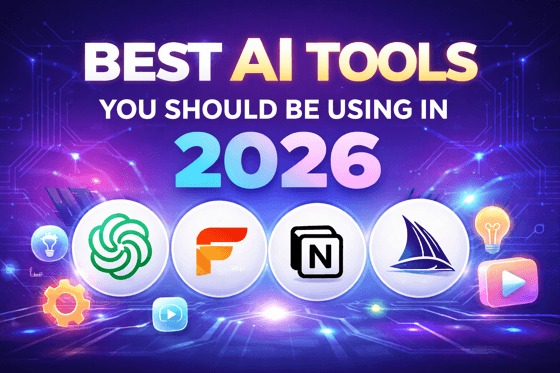
🤖 1. ChatGPT – Your Everyday AI Assistant
ChatGPT continues to be one of the best AI tools in 2026 because of its versatility.
You can use it for:
- Writing blog posts
- Drafting emails
- Learning new topics
- Brainstorming ideas
It works like a smart assistant that adapts to your needs.
👉 Example:
Instead of spending 30 minutes writing an email, you can generate a solid draft in seconds and just edit it.
🎬 2. FlexClip – All-in-One AI Content Platform
If you’re creating content, this is where things get interesting.
FlexClip is not just a video editor—it’s a full AI-powered content creation platform.
What makes it powerful:
- AI video generator
- Text-to-video conversion
- AI script writing
- Image and video editing tools
- Voiceover generation
Instead of using multiple tools, FlexClip combines everything in one place.
Real-life use cases:
- Create YouTube videos quickly
- Turn blog posts into videos
- Generate social media content
- Make marketing videos without editing skills
👉 This is especially useful for bloggers like you—you can repurpose articles into videos with minimal effort.
🧠 3. Notion AI – Smarter Productivity
Notion was already popular, but adding AI made it even more powerful.
With Notion AI, you can:
- Summarize long notes
- Generate content
- Organize tasks automatically
It’s perfect for managing everything in one place without switching tools.
🎨 4. Midjourney – AI Image Creation
Visual content is more important than ever.
Midjourney allows you to:
- Generate images from text
- Create thumbnails
- Design social media graphics
You don’t need design skills—just describe what you want.
✍️ 5. Grammarly AI – Better Writing Instantly
Writing clearly can make a huge difference, especially in professional communication.
Grammarly AI helps you:
- Fix grammar mistakes
- Improve tone
- Rewrite sentences
It’s simple but extremely effective.
🔍 6. Perplexity AI – Smarter Search
Instead of opening multiple tabs on Google, Perplexity gives you direct answers.
Benefits
- Faster research
- Source-backed information
- Clean, simple interface
It saves a surprising amount of time.
⚙️ 7. Zapier AI – Automation Without Coding
Zapier is one of the easiest ways to automate tasks.
You can:
- Connect apps like Gmail, Slack, and Notion
- Automate repetitive workflows
- Reduce manual work
👉 Example:
New email → AI summary → saved to notes automatically
👍 Pros and Cons of Using AI Tools
Pros
- Saves significant time
- Reduces repetitive work
- Easy to use
- Many tools are free or affordable
Cons
- Not always 100% accurate
- Requires some learning initially
- Can feel overwhelming with too many options
💡 Tips to Get Started
If you’re new to AI, don’t try everything at once.
Start simple:
- Pick 1–2 tools
- Use them daily
- Focus on repetitive tasks
For example:
- Use ChatGPT for writing
- Use FlexClip for content creation
Once you get comfortable, you can expand.
🔄 How These Tools Work Together
The real power comes when you combine tools.
Example workflow:
- Use ChatGPT → generate blog content
- Use FlexClip → convert into image or video
- Use Grammarly → polish writing
- Use Zapier → automate publishing
This creates a powerful, semi-automated system.
Conclusion
The best AI tools in 2026 are not just for tech experts—they’re for anyone who wants to work smarter.
Whether you’re writing, designing, researching, or automating tasks, there’s a tool that can help.
Start small, experiment, and gradually build your workflow.
Once you do, you’ll wonder how you ever worked without them.